While AI tools like Microsoft Copilot help users complete tasks faster, many organizations want something more personalized—an AI assistant that understands their business, answers company-specific questions, and automates everyday processes.
This is where Microsoft Copilot Studio comes in.
Microsoft Copilot Studio is a low-code platform that allows businesses to create, customize, and deploy AI-powered copilots without extensive coding. Whether you want an employee helpdesk assistant, a customer support chatbot, or an AI agent that automates business workflows, Copilot Studio provides the tools to build and manage these solutions.
In this guide, we’ll explain what Microsoft Copilot Studio is, how it works, its key features, benefits, and common business use cases.
What Is Microsoft Copilot Studio?
Microsoft Copilot Studio is a low-code development platform that enables organizations to build custom AI copilots tailored to their business needs.
Unlike general-purpose AI assistants, custom copilots can access your organization’s knowledge, interact with business applications, answer company-specific questions, and automate workflows across Microsoft and third-party systems.
For example, instead of searching multiple documents for an HR policy, an employee can ask the company’s copilot, which retrieves the relevant information instantly. Similarly, a customer service copilot can answer product questions, create support tickets, and check order status—all through a single conversation.
The platform is designed for both business users and developers, making it possible to create AI solutions quickly while maintaining enterprise-grade security and governance.
How Does Microsoft Copilot Studio Work?
Microsoft Copilot Studio combines conversational AI, automation, and business integrations into one platform.
A typical workflow looks like this:
- A user asks a question or submits a request.
- The copilot understands the user’s intent using AI.
- It searches approved business knowledge or connected applications.
- If needed, it triggers an automated workflow, such as creating a ticket or updating a record.
- The copilot responds with accurate, contextual information or confirms that the requested action has been completed.
This allows organizations to move beyond simple chatbots and create AI assistants capable of performing real business tasks.
Key Features of Microsoft Copilot Studio
Low-Code Development
Business users can build copilots using a visual interface, reducing the need for complex programming.
Custom Knowledge Sources
Connect the copilot to company documents, SharePoint sites, websites, FAQs, or other approved data sources to deliver business-specific answers.
Workflow Automation
Integrate with Microsoft Power Automate to automate repetitive business processes such as approvals, notifications, and data updates.
Microsoft 365 Integration
Copilot Studio works seamlessly with Microsoft applications such as Teams, SharePoint, Outlook, and Dynamics 365, allowing users to access AI assistance within the tools they already use.
Third-Party Connectivity
Organizations can integrate external applications using APIs and connectors, enabling copilots to interact with CRM, ERP, HR, and other enterprise systems.
Enterprise Security
The platform includes role-based access controls, authentication, audit capabilities, and governance features that help organizations deploy AI responsibly.
Benefits of Microsoft Copilot Studio
Organizations adopting Copilot Studio can expect several business benefits.
Improved Employee Productivity
Employees spend less time searching for information or completing repetitive administrative tasks.
Better Customer Experience
Customers receive faster, more consistent responses through AI-powered self-service experiences.
Reduced Operational Costs
Automating common requests and routine processes reduces manual effort and allows employees to focus on higher-value work.
Faster AI Adoption
The low-code approach enables organizations to develop and deploy AI solutions quickly without relying entirely on software development teams.
Scalable Automation
As business requirements evolve, copilots can be expanded to support additional departments, processes, and users.
Common Business Use Cases
Microsoft Copilot Studio can be used across multiple business functions.
HR Support
- Answer employee policy questions
- Assist with leave requests
- Support onboarding
- Guide employees through HR processes
Customer Service
- Resolve frequently asked questions
- Track orders
- Create support tickets
- Escalate complex issues to human agents
IT Helpdesk
- Reset passwords
- Troubleshoot common technical problems
- Submit service requests
- Provide software guidance
Sales Support
- Retrieve customer information
- Generate product recommendations
- Schedule meetings
- Update CRM records
Finance
- Answer invoice-related questions
- Guide expense claim submissions
- Check payment status
- Assist with approval workflows
Microsoft Copilot Studio vs. Traditional Chatbots
Traditional chatbots are often limited to predefined questions and scripted responses.
Microsoft Copilot Studio offers a more intelligent and flexible approach by enabling AI to understand natural language, access enterprise knowledge, trigger business workflows, and integrate with multiple business systems. This makes it suitable for organizations that require conversational experiences capable of supporting real business operations rather than simply answering basic questions.
Is Microsoft Copilot Studio Right for Your Business?
Microsoft Copilot Studio is a strong choice for organizations that already use Microsoft technologies or are looking to introduce AI into business processes without extensive custom development.
It is particularly valuable for businesses that want to:
- Improve employee self-service
- Enhance customer support
- Automate repetitive workflows
- Deliver AI experiences within Microsoft 365
- Build secure, enterprise-ready AI solutions
For organizations beginning their AI journey, starting with a focused business use case—such as HR support or IT service requests—can demonstrate value quickly before expanding AI capabilities across the enterprise.
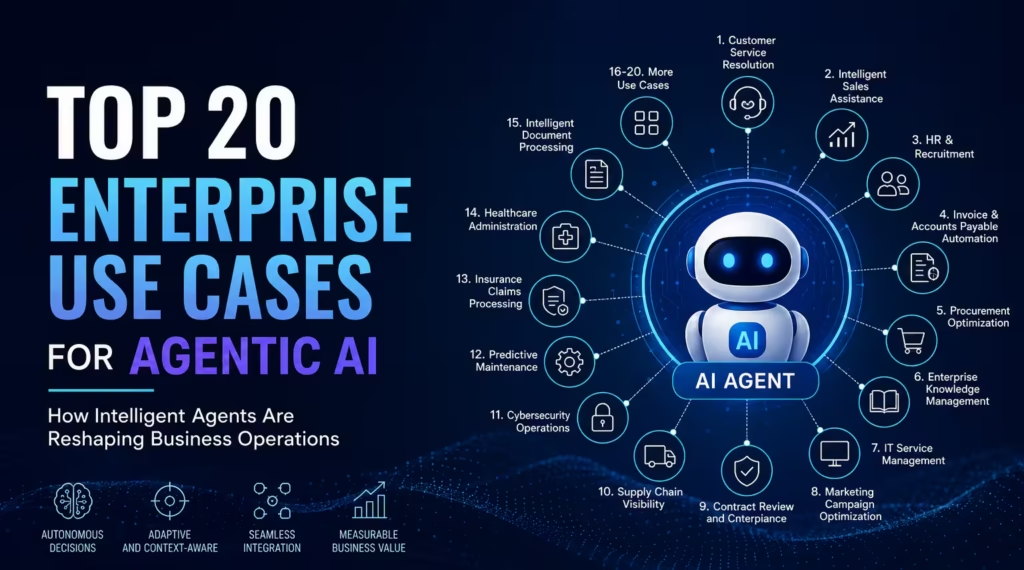
Top 20 Enterprise Use Cases for Agentic AI
While the first wave of AI focused on generating content, answering questions, and assisting employees, the next wave is about taking action. This evolution is known as Agentic AI—intelligent systems capable of planning, reasoning, making decisions, and executing complex business workflows with minimal human intervention. Unlike traditional automation, which follows predefined rules, Agentic AI adapts […]
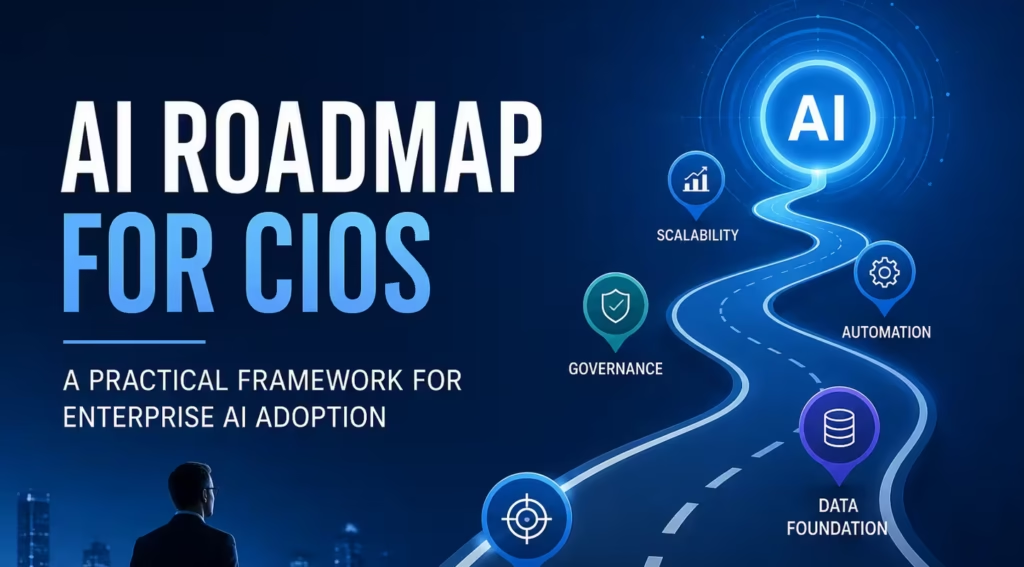
AI Roadmap for CIOs | Enterprise AI Strategy & Adoption Guide
Organizations across industries are investing in AI to improve productivity, automate processes, enhance customer experiences, and make data-driven decisions. However, while enthusiasm for AI is high, many initiatives fail to move beyond pilot projects because organizations lack a structured implementation strategy. For Chief Information Officers (CIOs), the challenge is no longer deciding whether to adopt […]
AI Workforce Management for Enterprise Leaders
For decades, workforce management has focused on people—hiring, training, scheduling, performance management, and employee engagement. As Artificial Intelligence becomes embedded into everyday business operations, a new challenge is emerging: organizations must now manage not only human employees but also intelligent AI agents, automation workflows, and digital assistants. This shift marks the beginning of AI Workforce […]