Introduction
Businesses are moving beyond basic chatbots toward AI systems that can perform tasks, use connected applications, and coordinate multi-step workflows. These systems, known as AI agents, are changing how organizations manage customer interactions, sales activities, financial operations, and internal support.
Unlike traditional automation, which follows fixed instructions, AI agents can interpret requests, retrieve relevant information, select appropriate tools, and adapt their next steps within defined boundaries.
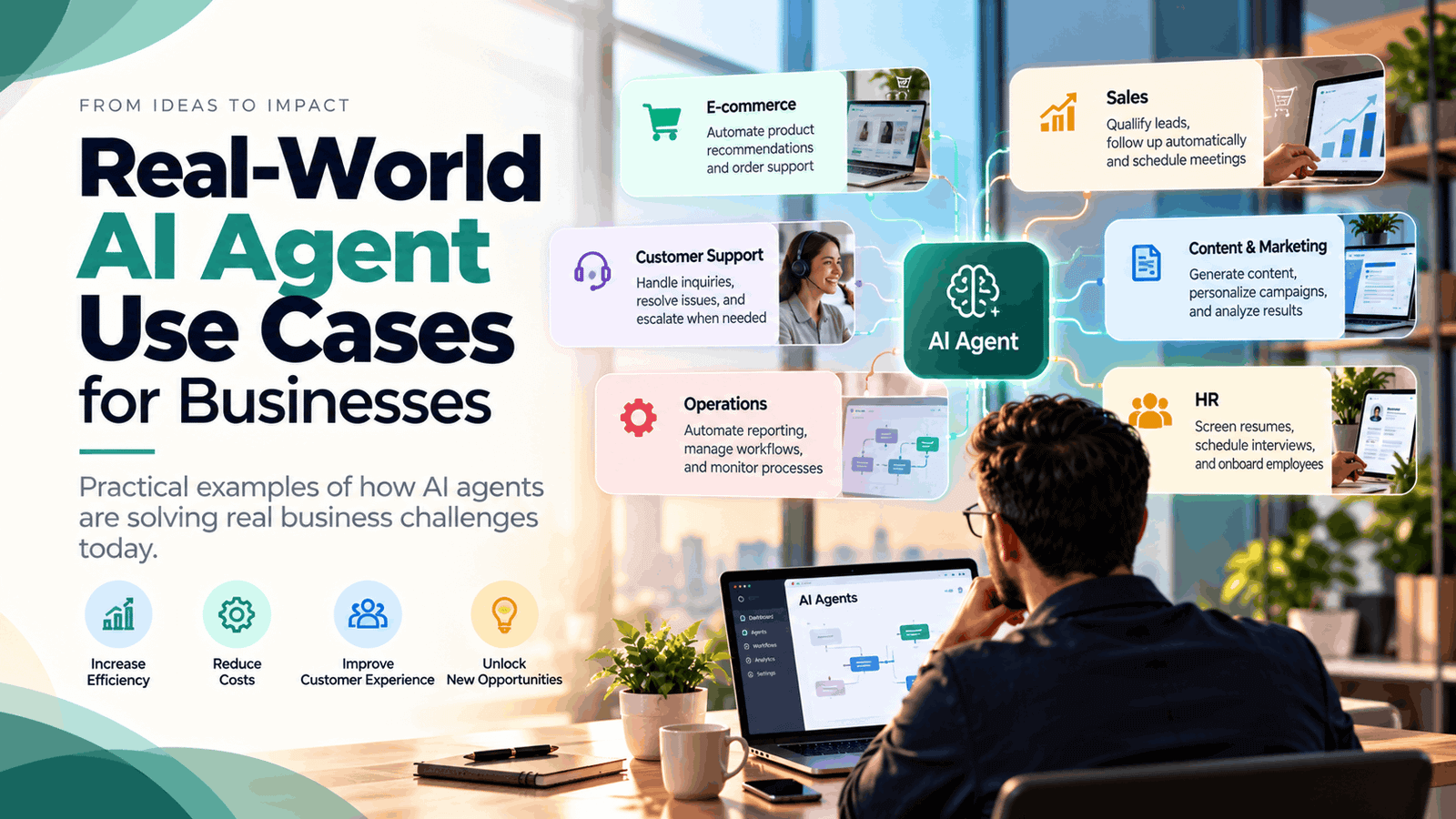
For businesses looking to improve productivity without expanding every department, this technology offers promising opportunities. Here are five real-world AI agent use cases for businesses, along with practical examples of how organizations can apply them.
What Are AI Agents in Business?
An AI agent is a software system that uses artificial intelligence to pursue a specific objective by reasoning through tasks and interacting with approved tools or data sources.
For example, a customer support agent could review a complaint, retrieve an order record, check delivery information, draft a response, and escalate the issue if it cannot resolve the problem.
The value lies in connecting several actions into a coordinated process rather than simply generating an answer.
1. Customer Support and Service Resolution
Customer service is one of the most practical applications of AI agents. Support teams often handle repetitive questions about orders, account access, product features, delivery updates, and return policies.
An AI agent can interpret incoming requests, search approved knowledge bases, retrieve customer information, and respond to routine queries. When a case requires special approval, it can transfer the conversation to a human representative with relevant details already collected.
Real-world example: Snowflake highlights customer support case analysis as an AI agent use case, where agents analyze structured and unstructured information to help teams investigate customer problems and identify recurring issues.
Business benefits:
- Faster handling of routine inquiries
- Reduced repetitive work for support teams
- More consistent access to product information
- Better routing of complex cases
Businesses should start with low-risk questions and establish clear escalation procedures for complaints, refunds, and sensitive customer issues.
2. Sales Research and Lead Qualification
Sales representatives spend considerable time researching prospects, reviewing CRM records, preparing for meetings, and updating follow-up notes. AI agents can coordinate these activities by collecting approved information and preparing useful summaries.
A sales agent might review a new inquiry, identify the customer’s stated requirements, check existing CRM records, and route the opportunity to the appropriate representative. It can also draft a personalized follow-up for human approval.
Real-world example: Intercom has described using AI-powered research workflows to prepare sales intelligence. The company reported reducing research that previously took around 40 minutes to approximately 30 seconds in a particular workflow. This is a company-reported result, not a guaranteed outcome for every sales team.
Business benefits:
- Less manual prospect research
- Better-prepared sales conversations
- More organized CRM records
- Faster follow-up on qualified leads
AI agents should support sales judgment rather than make important customer decisions using incomplete or inaccurate information.
3. Finance and Invoice Processing
Finance departments manage invoices, payment records, expense reports, reconciliations, and approval workflows. These processes often require information to be collected from several systems before an employee can act.
An AI agent can extract invoice details, compare them with purchase orders, identify mismatches, and prepare exceptions for review. It may also gather supporting documentation and route approved records to the relevant accounting workflow.
Real-world example: Snowflake identifies financial reconciliation and transaction workflows as enterprise AI agent applications. Agents can help compare records, investigate discrepancies, and coordinate routine steps across financial systems.
Business benefits:
- Reduced manual data entry
- Faster identification of inconsistencies
- More organized audit documentation
- Improved visibility into outstanding tasks
Because financial errors can have serious consequences, businesses should retain approval controls for payments, refunds, journal entries, and other high-impact actions.
4. IT Help Desk and Employee Support
Internal IT teams receive frequent requests involving password resets, software access, device troubleshooting, account setup, and application issues. Many requests follow predictable patterns but still require employees to search documentation or move between service systems.
An IT support agent can understand a request, retrieve approved troubleshooting instructions, check relevant ticket information, and perform authorized actions. If the issue remains unresolved, it can create a ticket with the investigation details attached.
Real-world example: Snowflake describes internal help desk agents that retrieve enterprise knowledge and handle common employee service requests through connected systems.
Business benefits:
- Faster responses to routine IT requests
- Reduced workload for service desk employees
- More consistent troubleshooting
- Better prioritization of unresolved incidents
Access permissions are essential. Agents should only perform approved actions, and sensitive security incidents should be escalated to qualified staff.
5. Workflow Automation Across Business Applications
Many businesses rely on separate tools for email, CRM, project management, customer support, and reporting. Employees often spend valuable time transferring information between these systems.
AI agents can coordinate multi-step workflows by interpreting incoming information, selecting appropriate actions, updating records, and notifying relevant team members.
For example, when a new customer submits a service request, an agent could categorize the inquiry, create a CRM entry, assign a task, draft an acknowledgment, and prepare a summary for the account manager.
Real-world application: Platforms such as n8n, Make, and Zapier help businesses connect applications and automate workflows. When combined with suitable AI models and controlled tool access, these platforms can support more adaptive processes. The exact level of agent autonomy depends on the configuration.
Business benefits:
- Fewer repetitive administrative tasks
- Better coordination between departments
- More consistent information across applications
- Improved visibility into workflow progress
Start with a single process and test how the agent handles missing information, duplicate records, and unexpected inputs before expanding its responsibilities.
How to Choose the Right AI Agent Use Case
The best starting point is not necessarily the most advanced application. Businesses should prioritize processes that are frequent, time-consuming, and easy to measure.
Use these steps to evaluate potential projects:
- Identify a recurring problem: Look for tasks involving repeated information gathering, classification, or coordination.
- Define the desired outcome: Set measurable goals such as shorter processing times or fewer errors.
- Check data and integrations: Ensure the agent can securely access the information and applications it needs.
- Set boundaries: Specify permitted actions and when human approval is required.
- Run a pilot: Test realistic situations and measure results against a baseline.
- Improve gradually: Expand only after the workflow demonstrates reliable performance.
Security, privacy, audit trails, and human oversight should be part of the initial design.
Conclusion
Real-world AI agent use cases for businesses are expanding across customer support, sales, finance, IT, and everyday workflow automation. These applications show how AI can help coordinate multi-step work, reduce repetitive tasks, and give employees more time for decisions that require human expertise.
However, success depends on choosing suitable processes, connecting reliable data, and defining clear operational boundaries. AI agents are not a replacement for sound business processes; they work best when those processes are understood and carefully managed.
Businesses can begin with one well-defined workflow, measure its impact, and expand as confidence grows.
Ready to explore AI automation for your business? Profilent can help you identify suitable workflows, connect business applications, and develop practical AI solutions aligned with your operational goals.
Frequently Asked Questions
What are the most common AI agent use cases for businesses?
Common applications include customer support, sales research, invoice processing, IT help desks, and cross-platform workflow automation.
How are AI agents different from chatbots?
Chatbots primarily focus on conversations, while AI agents can also use connected tools, retrieve information, and perform multiple actions toward a defined goal.
Are AI agents suitable for small businesses?
Yes. Smaller companies can use agents for lead management, customer inquiries, appointment coordination, and administrative workflows, provided the solution fits their budget and security needs.
How can businesses measure AI agent ROI?
Measure processing time, operational costs, error rates, resolution rates, customer satisfaction, and employee feedback before and after implementation.